Jump to content

Broken Models/lod/textures?


5 replies to this topic

#1 KarmaSteve

    Rookie

  • 4 posts

Posted 31 March 2013 - 05:30 AM

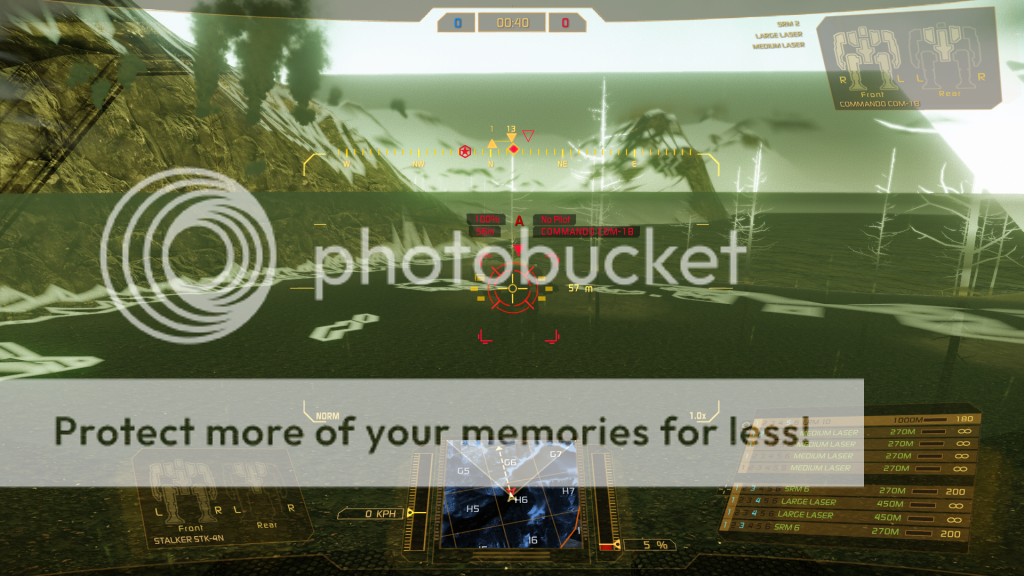
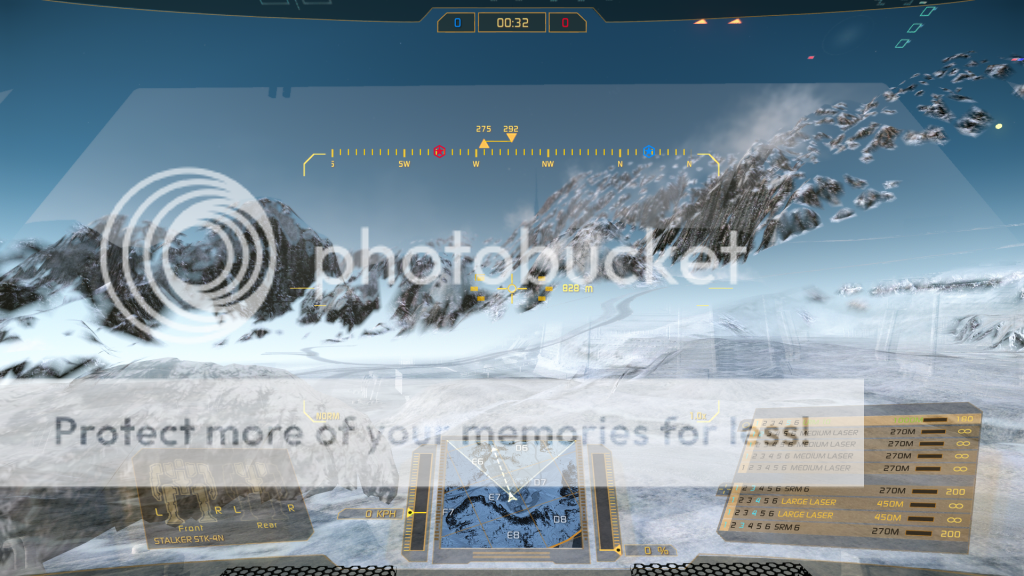
I'm experiencing rather extreme version of whatever this is that i have seen in other posts but this is rather extreme - at least they are getting models that look like something.

Posted Image

Posted Image

HELP!

system spec:

AMD Phenom II x4 960t @ 3.5ghz (standard timings)
Gigabyte GA-880GMA-UD2H
Sapphire HD7850 2GB @ 1050/1200
4GB RAM Single Channel 1666mhz
Win 7 x64 Home Premium

#2 Silpher K

    Member

  • PipPipPip
  • Overlord
  • Overlord
  • 82 posts

Posted 31 March 2013 - 10:13 PM

have you tried installing the latest AMD catalyst drivers? update directx? mwo reinstall?

#3 KarmaSteve

    Rookie

  • 4 posts

Posted 01 April 2013 - 03:14 AM

yes tried catalyst 13.1 13.2 beta and 13.3 beta - and same thing, reinstalled the game 2ce, now re-installing windows to see if that had any issues... this is so weird lol

#4 KarmaSteve

    Rookie

  • 4 posts

Posted 01 April 2013 - 09:41 PM

yeah i saw that in another thread so i tried it - infact i do it everytime i launch the game but still no improvement.

EDIT: as of now i've re-installed/updated win7 so i'll re-dl it again to see if thats improved it.

RE-EDIT: played it again and no improvement so i dunno ;)

Edited by KarmaSteve, 01 April 2013 - 10:02 PM.


#5 Ocilfa

    Member

  • PipPipPipPipPip
  • Overlord
  • Overlord
  • 152 posts
  • LocationWashington State

Posted 01 April 2013 - 10:38 PM

Please try this: http://mwomercs.com/...98#entry1970998

Can't guarantee it to work, but its a common issue with amd card owners.

#6 KarmaSteve

    Rookie

  • 4 posts

Posted 02 April 2013 - 03:31 AM

yeah that did it and i know what it is... i had AMD Tesselation on AMD Optimized rather than application settings and that fixed it... come to think of it..it was obvious lol...d'oh - thanks :)


1 user(s) are reading this topic

0 members, 1 guests, 0 anonymous users