Jump to content

3D Vision With 3 Monitors

Bug Report

4 replies to this topic

#1 Logen Ninefingers

    Member

  • PipPipPipPipPip
  • The Blade
  • The Blade
  • 127 posts
  • LocationHamburg

Posted 26 August 2015 - 05:50 AM

Everything is fine now if you are using 1 Monitor, target square and crosshairs.

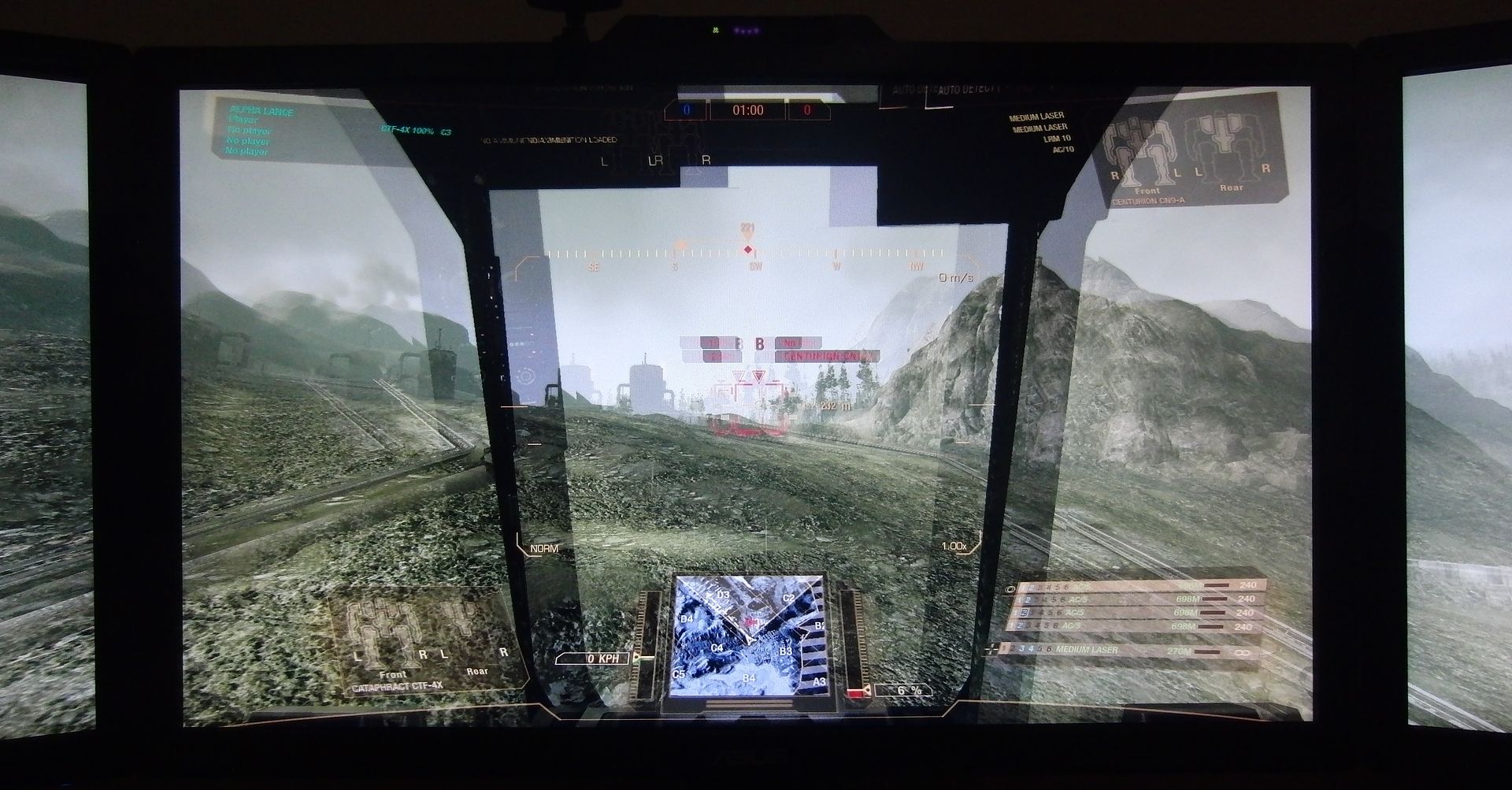
But if you have a 3 Monitor setup at 5070x1080 or above square and crosshairs ->headache. It's not only the crosshairs everything on your center monitor looks weird, a lot of ghosting, depth planes are off. Left and right monitors have the better image. It only gets a little better if you are using Adv. zoom...

Please fix, maps in 3D over 3 Monitors look awesome....

Btw. GTX 690

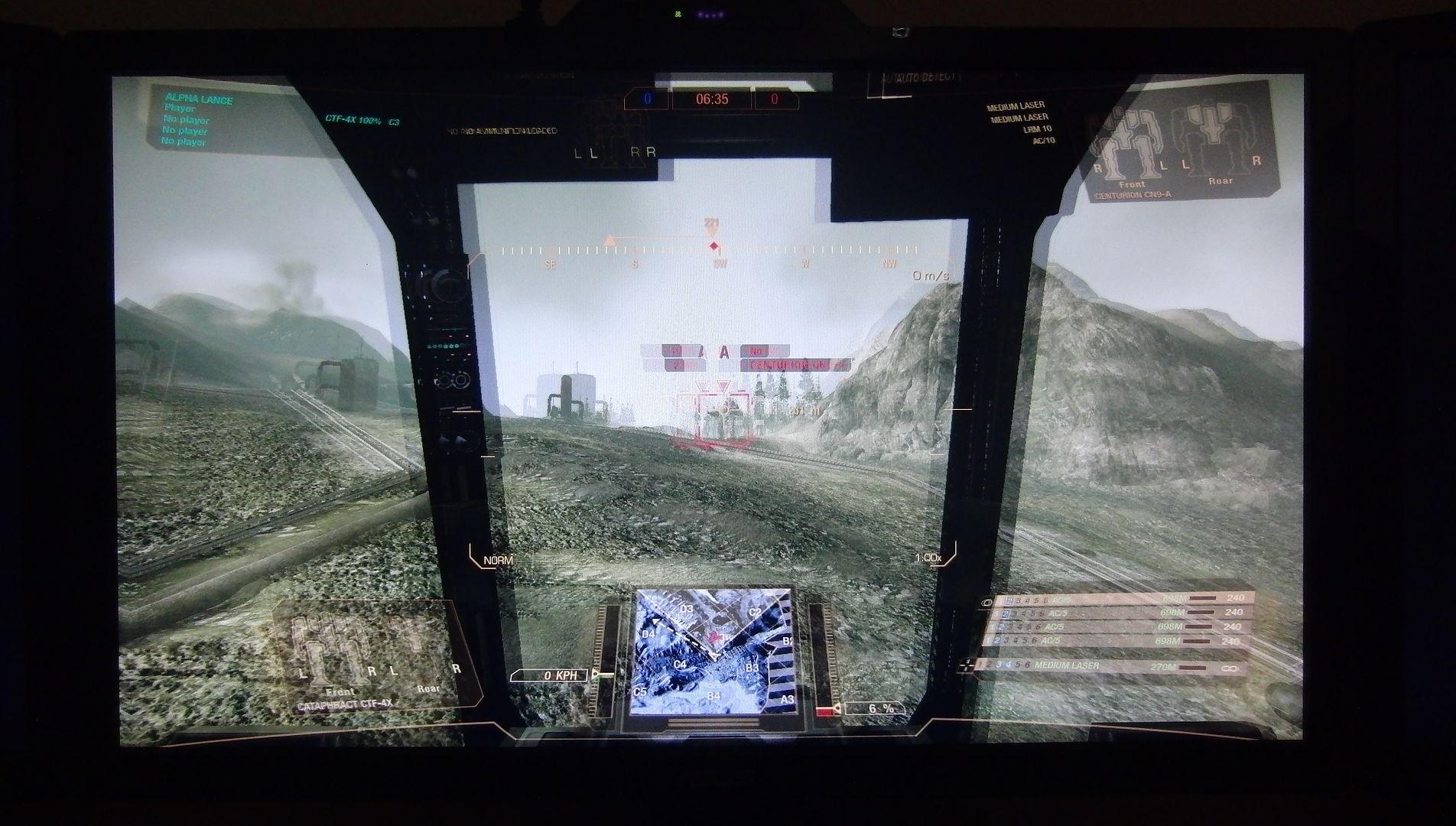
Added images from digital camera cause fraps doesn't save the overlapping image.

1920x1080 everything looks nice, convergence is ok... a little ghosting can be seen
Posted Image

6040x1920 (Bezel correction, 5070 has the same issues) Wrong convergence (?), crosshairs and square at wrong depth plane
Posted Image

#2 Troutmonkey

    Member

  • PipPipPipPipPipPipPipPipPip
  • Moderate Giver
  • Moderate Giver
  • 3,776 posts
  • LocationAdelaide, Australia

Posted 30 August 2015 - 05:02 AM

What sort of frame rate do you get at that resolution? Can't imagine it running at ultra with 5070x1080 with 3D on top of that

#3 Logen Ninefingers

    Member

  • PipPipPipPipPip
  • The Blade
  • The Blade
  • 127 posts
  • LocationHamburg

Posted 31 August 2015 - 12:46 AM

Around 30-40 fps on testing ground never tested it in game, would've been zero damage matches due to vomiting while trying to aim... ;)

#4 Event Horizon

    Member

  • PipPipPipPipPipPip
  • FP Veteran - Beta 1
  • FP Veteran - Beta 1
  • 252 posts

Posted 31 August 2015 - 08:33 PM

The 3D Vision in the engine is actually not full 3D. So it does not drop FPS in half like full 3D Vision.

#5 Rebel Roshak

    Member

  • PipPipPip
  • Legendary Founder
  • Legendary Founder
  • 99 posts
  • LocationSheffield

Posted 02 September 2015 - 01:49 PM

I'm another 3D 3 Monitors user. The corsair bug needs fixing and so does the stretching on the left and right monitors.

I'm running 2 760s in SLI. Ghosting can be fixed by turning off AA. And turning on G-Sync.

Enabling a few settings in Nvidia control panel will help boost frame rate win in matches.

Any further help drop me a message


1 user(s) are reading this topic

0 members, 1 guests, 0 anonymous users